















AI that works on your terms
Choose the model providers and tools your team trusts. Let agents handle repeatable work while people stay in the loop.

Agentic localisation platform
Translate your product. Adapt your creative. Clear local rules.
Trusted by teams at




Most tools stop at translation. Hyperlocalise covers the whole launch: the language, the culture and the rules of every market you enter.
01Language
An AI-native TMS for product, website and docs localisation: translation memory, glossaries, QA and in-context review, built into every release.

02Culture
Transcreation for ads, landing pages, emails, images and video, with on-screen copy, subtitles and dubbing adapted to each market.

03Compliance
Pre-publish compliance checks against your legal policies and each market's regulations, from GDPR claims to AI disclosures.
Translation management system
Localise your product, website and documentation in one TMS, with translation memory, glossaries, a CAT editor and review workflows. Agents translate every release from GitHub or your CMS, so new strings, pages and docs ship localised instead of weeks later.
Switching TMS? Import your translation memory and glossaries, or connect Phrase, Lokalise, Crowdin or Smartling to start today and migrate at your own pace.
Explore Content StudioApp strings, marketing pages, help centres and developer docs are picked up from GitHub, GitLab or your CMS as you ship and sent back translated. No file handoffs.
Every translation reuses approved segments and applies your terminology, so quality goes up and cost per word comes down.
Reviewers approve in a CAT editor with source, target and context side by side. Automated checks flag terminology and style issues.
JSON, XLIFF, ARB, gettext PO, Apple .strings, Markdown and more, synced with the CLI or GitHub Action.
Then publish with Domains and get found in international search and AI answers.
Ad & creative localisation
A Fourth of July banner means nothing in Tokyo. Iris transcreates paid social ads, banners, product imagery and video for every market. It rewrites on-screen copy, adds subtitles and dubbing, and checks every layout before launch.
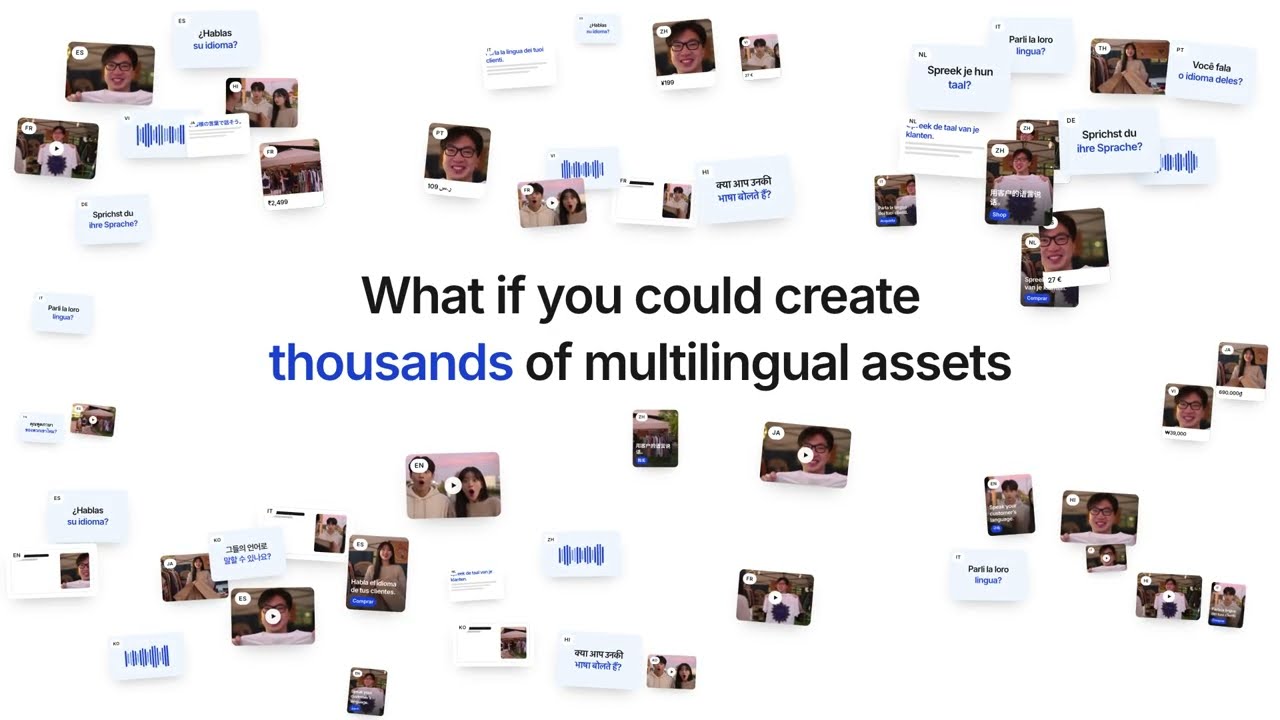
Rewrite the copy inside banners, social ads and product images so every variant reads as if it was made locally.
Subtitle and dub product videos and video ads for each market, without going back to the edit suite.
Transcreate campaign messaging, landing pages and lifecycle emails, connected to Braze, HubSpot, Mailchimp and Customer.io.
Catch truncated text and broken layouts before a long German headline breaks your banner.
Market testing
A/B test ads, landing pages and messaging in each market. Measure conversion, then roll the winner out everywhere.
See how Hyperlab worksCompliance checks
Every market has its own fine print: consumer law, ad disclosures, privacy wording. Connect the policy docs your legal team already keeps in Drive, Notion or SharePoint. Guidelines checks every piece of content against them and blocks anything that is not ready to publish.
See how Guidelines worksConnect the legal and policy docs you already keep in Drive, Notion or SharePoint. Guidelines turns them into checks.
Check marketing claims against each market's rules, from GDPR consent wording to AI disclosures and health claims.
Hold every market to your tone of voice and approved terms, whether a person or an agent wrote the copy.
Anything that fails a check is blocked from publishing, with the issue flagged for your reviewers.
Get a free localisation score out of 100 for your website in the markets you are targeting. Results in 1–3 minutes.
Connect GitHub, your CMS, and marketing tools like Braze, HubSpot and Mailchimp in a few clicks. Already on another TMS? Connect it and start today.
Works with the tools you already use
Up and running in an afternoon. Pick the path that fits your team.
Case Study
We experienced a 21x increase in traffic and 5x AI Assistant-originated sessions since introducing additional multilingual powered by Hyperlocalise.
Visit tourfinder.vn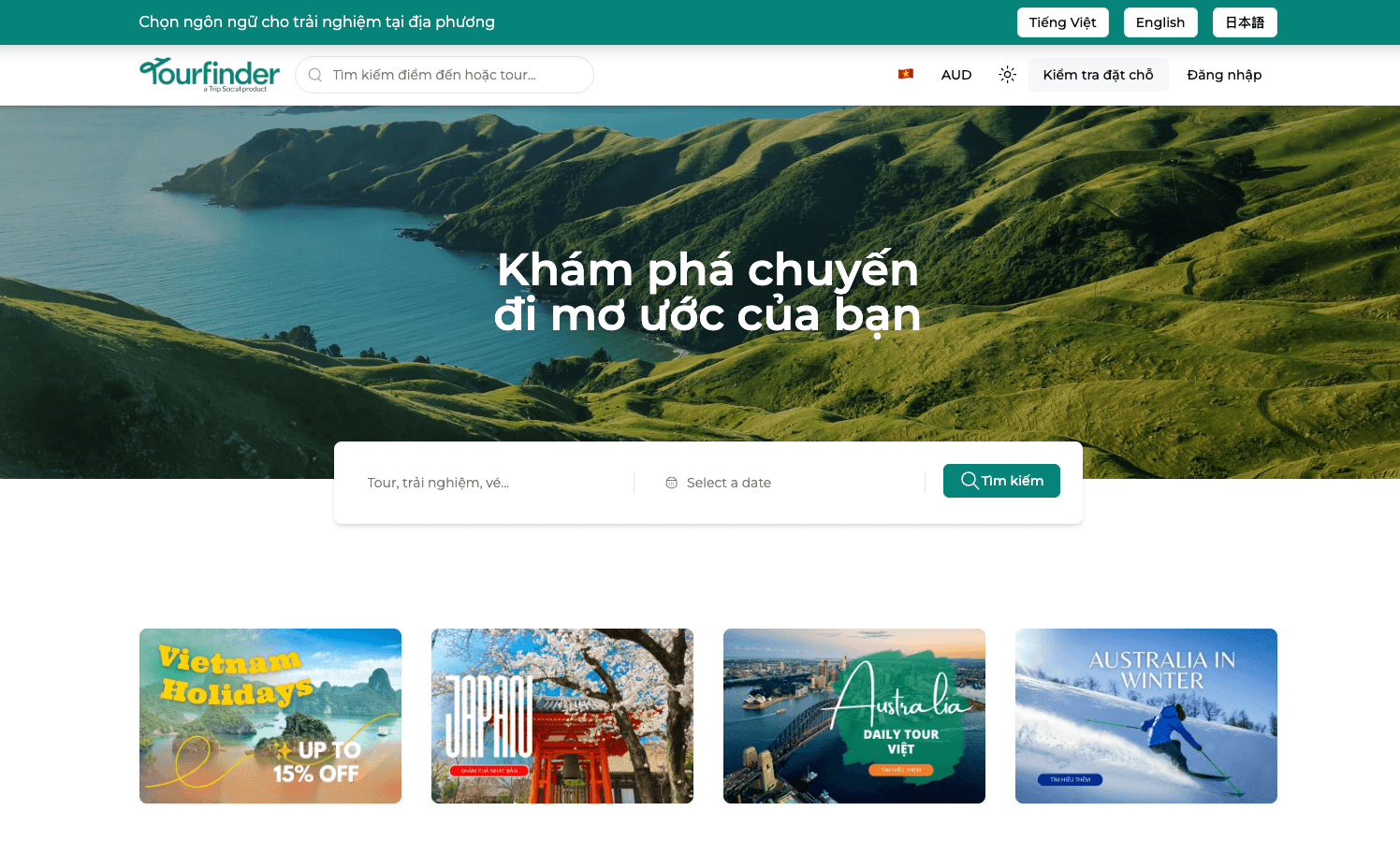
Agents in your tools
Ask Hyperlocalise to do the work in Slack, Teams, GitHub, and the tools your team already uses. Your agents connect the conversation to your content operations.
Explore integrations # content-ops
Jamie
@Hyperlocalise Review this launch copy against our brand guidelines and flag anything that needs attention.
Hyperlocalise
I’ve checked the copy against your guidelines. Here’s what needs a review.
Brand voice and terminology
One phrase needs a clearer tone. Two terms have preferred alternatives in your guidelines.
Example agent conversation
Connect Hyperlocalise through MCP in the AI assistants your team already uses—translation, content ops, and guidelines without switching tools.
App and website localisation, help centres, paid campaigns, lifecycle email and new-market launches.
Explore the platform
Get to know each product—and how it contributes to your content operations.
Built around your team
Put AI to work across markets, with your people and standards at the centre.
Choose the model providers and tools your team trusts. Let agents handle repeatable work while people stay in the loop.
Keep roles and permissions clear as your workspace grows. Enterprise adds SSO / SAML and dedicated support.
Start with a single seat, then add seats, agent runs, and automations as your content operations grow.
Evaluate Hyperlocalise with a single-seat workspace.
For small teams that need more seats and projects.
All Free features, plus:
For teams running localisation in production every week.
All Starter features, plus:
For organizations that need custom limits and support.
All Growth features, plus:
Find answers.
Any more questions?
Contact usFrom the blog
Insights on hyperlocalisation, translation intelligence, and building localisation workflows for global teams.